G0
Surfaces touch
The edges meet, but there is a sharp fold. The stripes break.
Not Class-A

APE2RACE is the styling surface development division of Paperboost Design Studio. Concept, CAS and Class-A surface modelling in Autodesk Alias, for cars, two-wheelers and products.
Scroll to exploreG2, smooth bend. Reflections flow across the join without a break.
From design idea to production-ready 3D surfaces, with precision at every step.
APE2RACE offers Computer-Aided Styling (CAS): turning designs into high-quality digital 3D surfaces. We combine licensed Autodesk Alias, an experienced team and strict confidentiality to connect creative design with engineering accuracy, for cars, two-wheelers, products and industrial design.
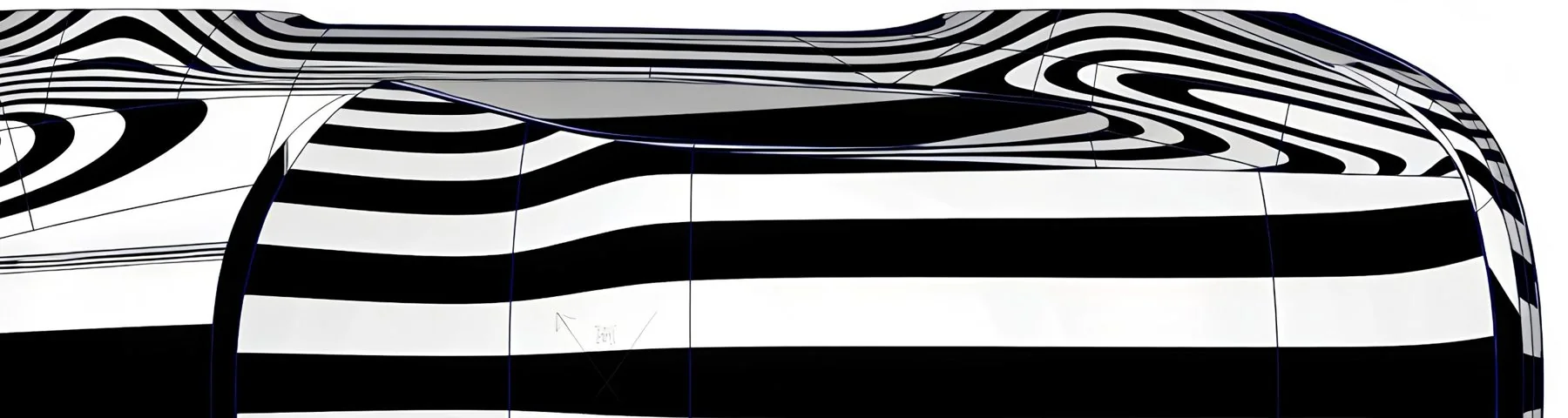
Class-A surfaces are the outer surfaces of a product that customers see and touch, like a car’s body panels. They must be perfectly smooth, so light reflects off them in clean, unbroken lines. Car makers use Class-A data to make the production moulds and tooling.
The edges meet, but there is a sharp fold. The stripes break.
Not Class-ANo fold, but the stripes bend sharply. You can still see the join.
Not Class-AThe stripes flow across and the join disappears.
Class-A minimumThe stripes flow perfectly. Used on the most visible areas.
Best Class-AWe create the 3D surfaces for cars, bikes and products, using licensed Autodesk Alias and an experienced team. We work to the quality level international companies expect, and we check every model against our own written quality rules.
Client designs and data are handled under NDA and kept secure throughout the project.
Surfaces join so smoothly that light reflects across them without a break.
Our engineers check that the design fits the parts inside and can be manufactured.
One team takes your design from the first rough 3D shape to the final production model.
Design inputs, sketches and layout.
Main surfaces, transitions and details.
Class-A surface quality and reflections.
Fit, panel gaps and surface quality.
Alias files, export formats and QC report.
Before we start, we spend a few days understanding your design and agreeing the targets with you. This avoids surprises later.
Fast, controllable surfaces that turn sketches into 3D form. Built for quick iteration while the design is still moving.
Design-accurate surfaces built on the real package and hardpoints. Character lines, sections and proportions locked for design freeze.
The final visible surfaces: highlight-perfect, fully detailed and engineering-ready, so tooling can be cut from them.
Each model is reviewed at every stage: first the patch layout, then under different lighting shaders, and finally with curvature combs to check reflections and form.
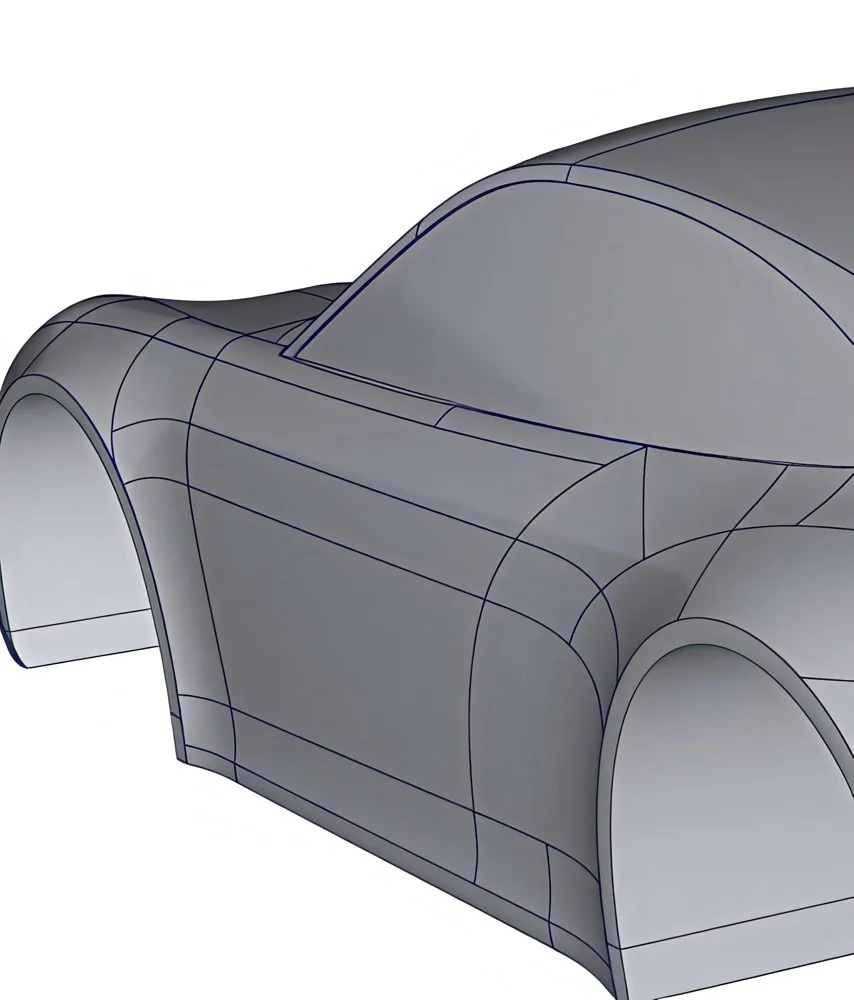
How the surface is divided into patches. A clean, logical layout keeps every surface simple, controllable and easy to join smoothly.
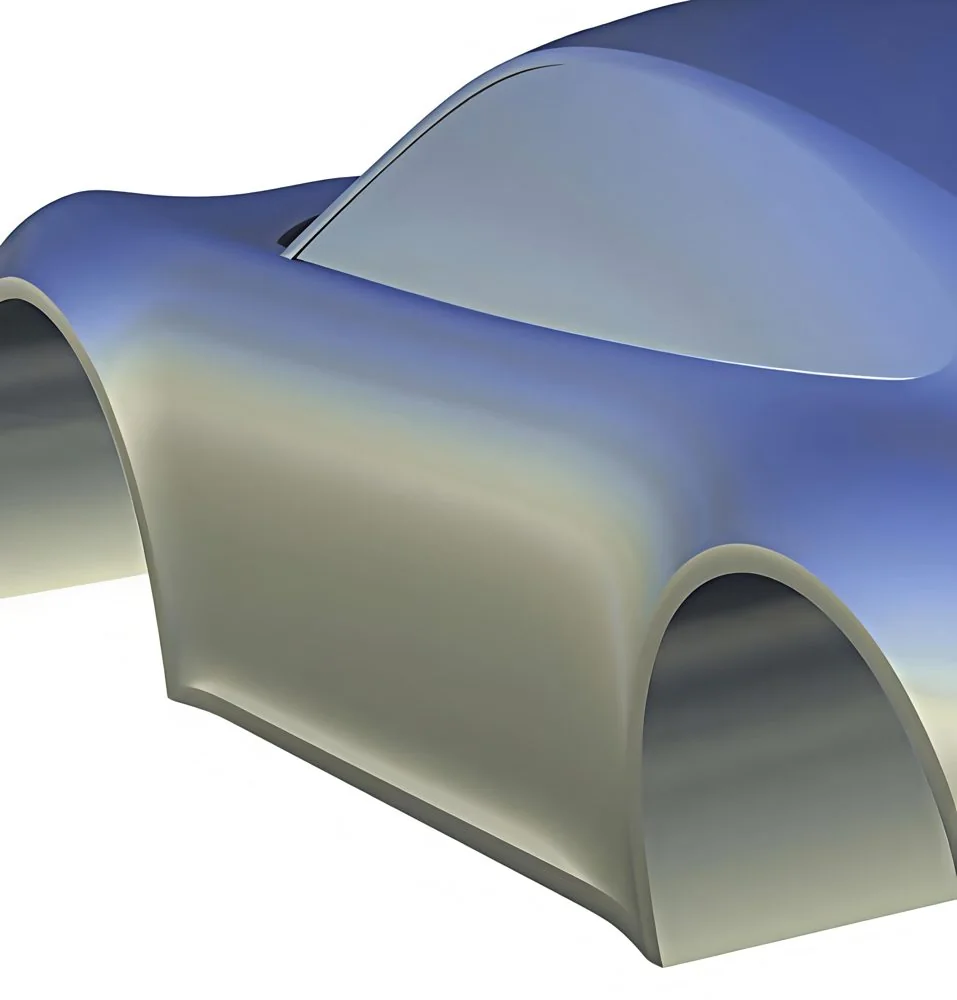
A sky-style reflection shader shows how the horizon and light flow across the body, revealing any dips, waves or uneven transitions.
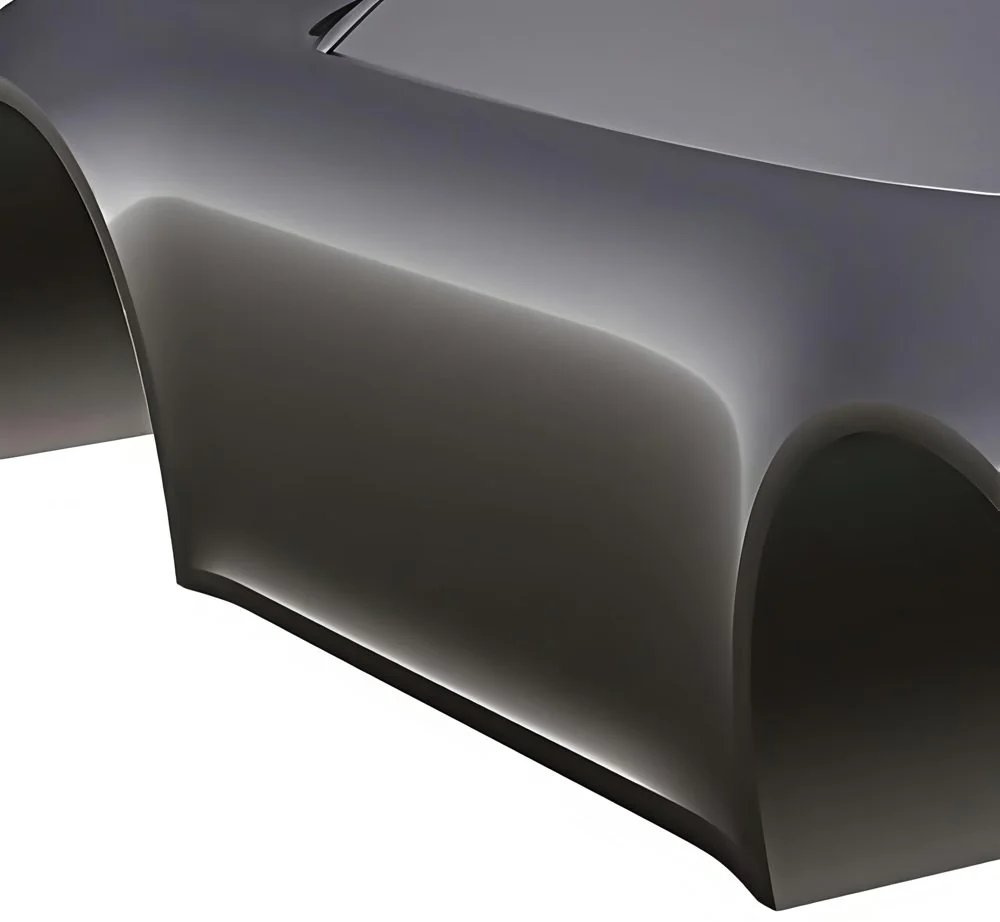
A showroom lighting shader shows the surface as a customer would see the finished, painted part, confirming clean highlights and form.
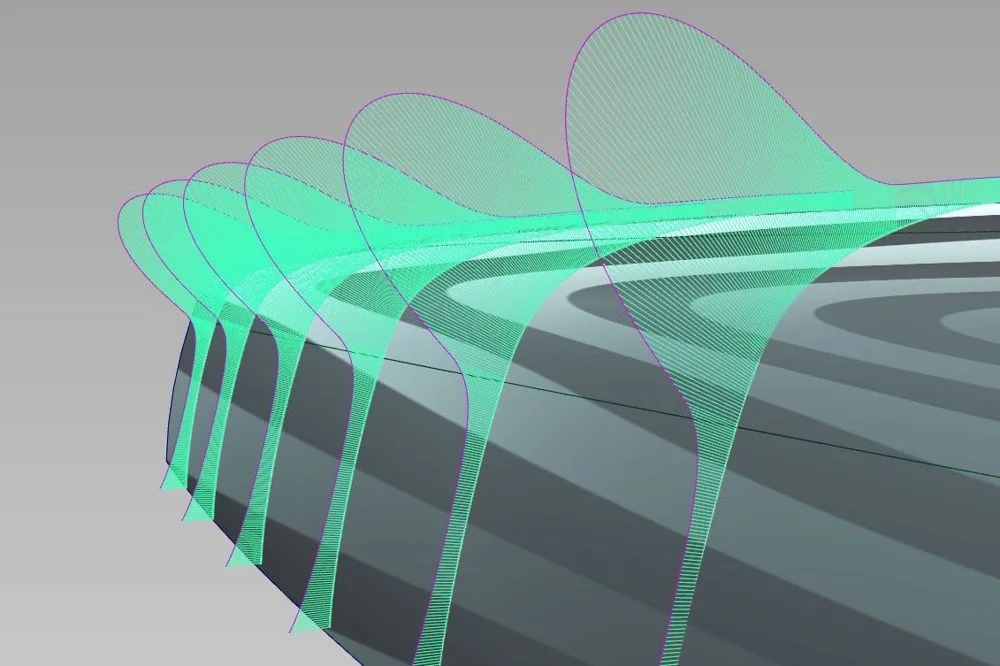
Curvature combs on cross-sections show how each curve bends. A smooth, flowing comb outline confirms the surface will reflect light cleanly.
No visible defect under diagnostic shading at review distance
Zebra, isophote and environment shading
G0 ≤ 0.01 mm
G1 ≤ 0.1°
G2 curvature matched at boundary
Alias continuity check, curvature comb
No unintended sign change in curvature; smooth comb envelope
Curvature comb, curvature map, highlight lines
Single-span Bézier on primaries where possible; degree 3–7
CV and hull inspection, model hygiene check
Gap and flush ±0.1 mm in data; deviation to reference as agreed in review
Deviation map, section and gap analysis, NX package check
All surface quality, continuity, curvature, CV structure and accuracy checks passed and recorded
Independent senior review, signed QC report
Default targets apply when no client specification is provided. Tolerances, gap and flush values and the reference for deviation checks are confirmed in the Review step and written into the project scope.
A perfect surface is measured, not judged by eye alone. Our modellers work in licensed Autodesk Alias with the same evaluation tools used in automotive studios worldwide, and every check in the standard is a real software analysis.
Concept, CAS and Class-A modelling, from first volumes to release data.
Zebra stripes, isophotes, highlight lines and environment reflections to judge flow and fairness.
Curvature combs, curvature maps, continuity checks, deviation maps, sections and draft analysis.
Package, hardpoint and gap cross-checks with the APE2RACE engineering team.
Photorealistic renders and turntables for design reviews and sign-off.
Plans how each part is surfaced and gives final quality approval on every delivery.
Build and refine the final Class-A production surfaces with full detail.
Build concept and CAS models, reviewed by the senior modellers.
Our engineers check fit, mounting points, panel gaps and manufacturability.
Our modellers work only on your project for an agreed period.
We take one part or vehicle from start to final files.
Start small and add people as the project grows.
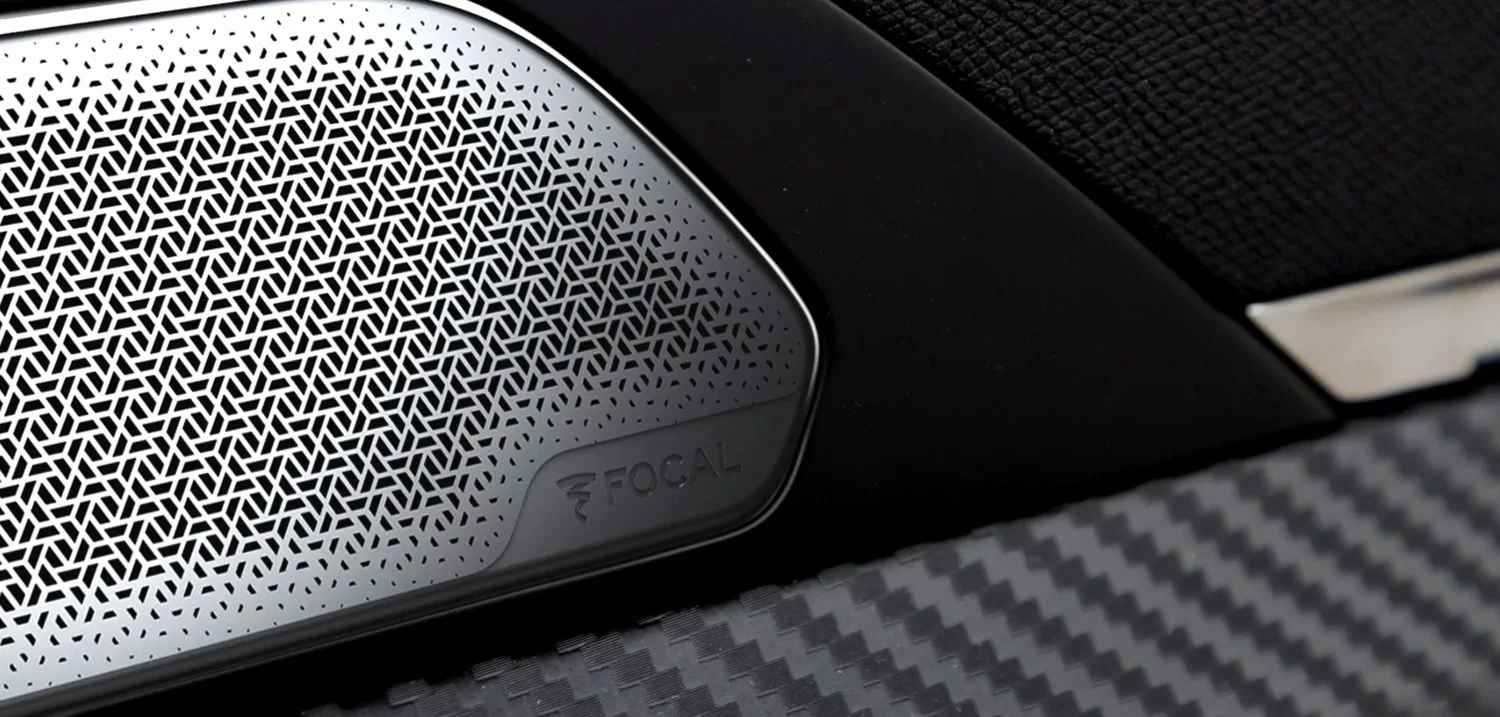
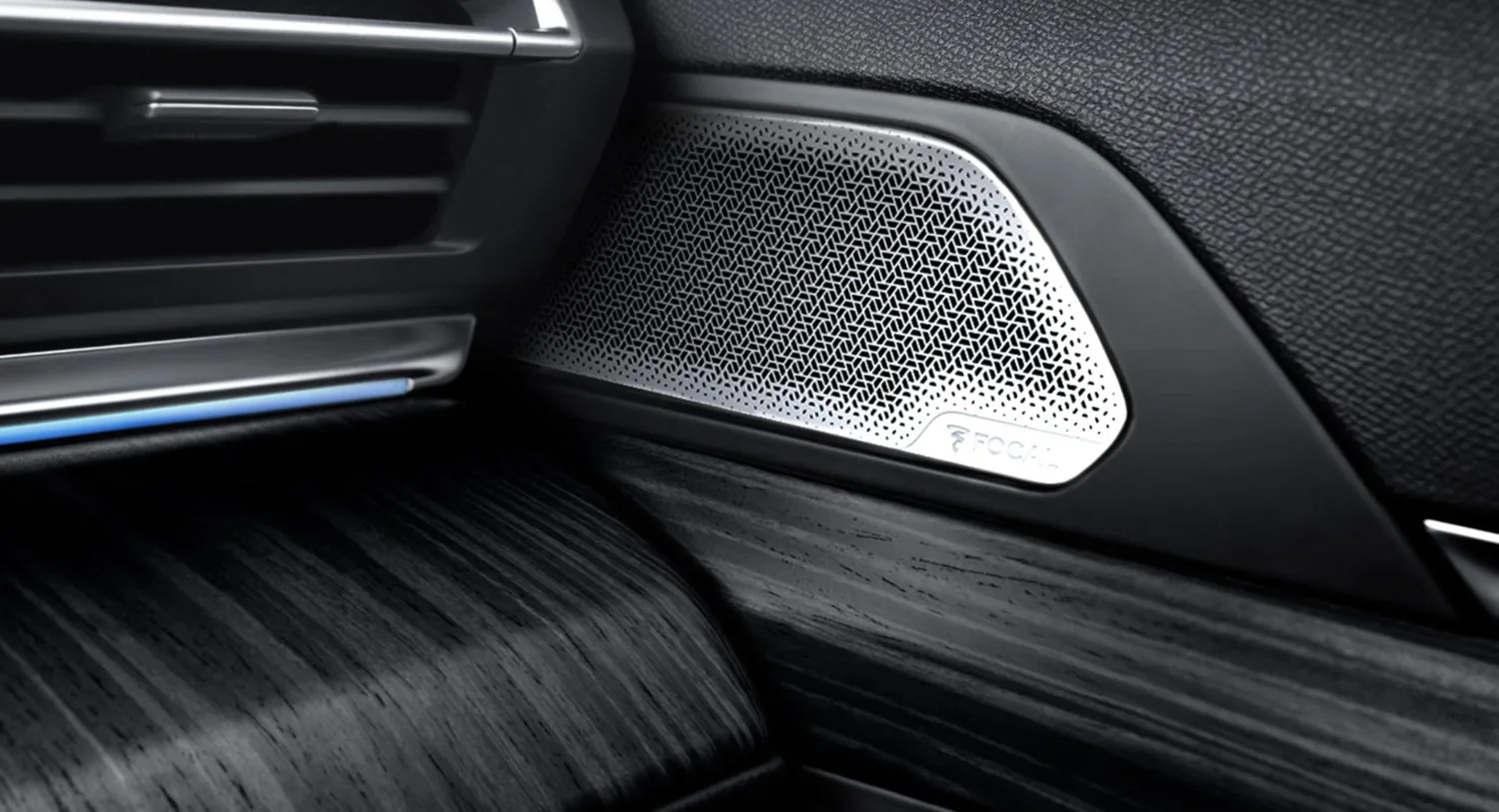
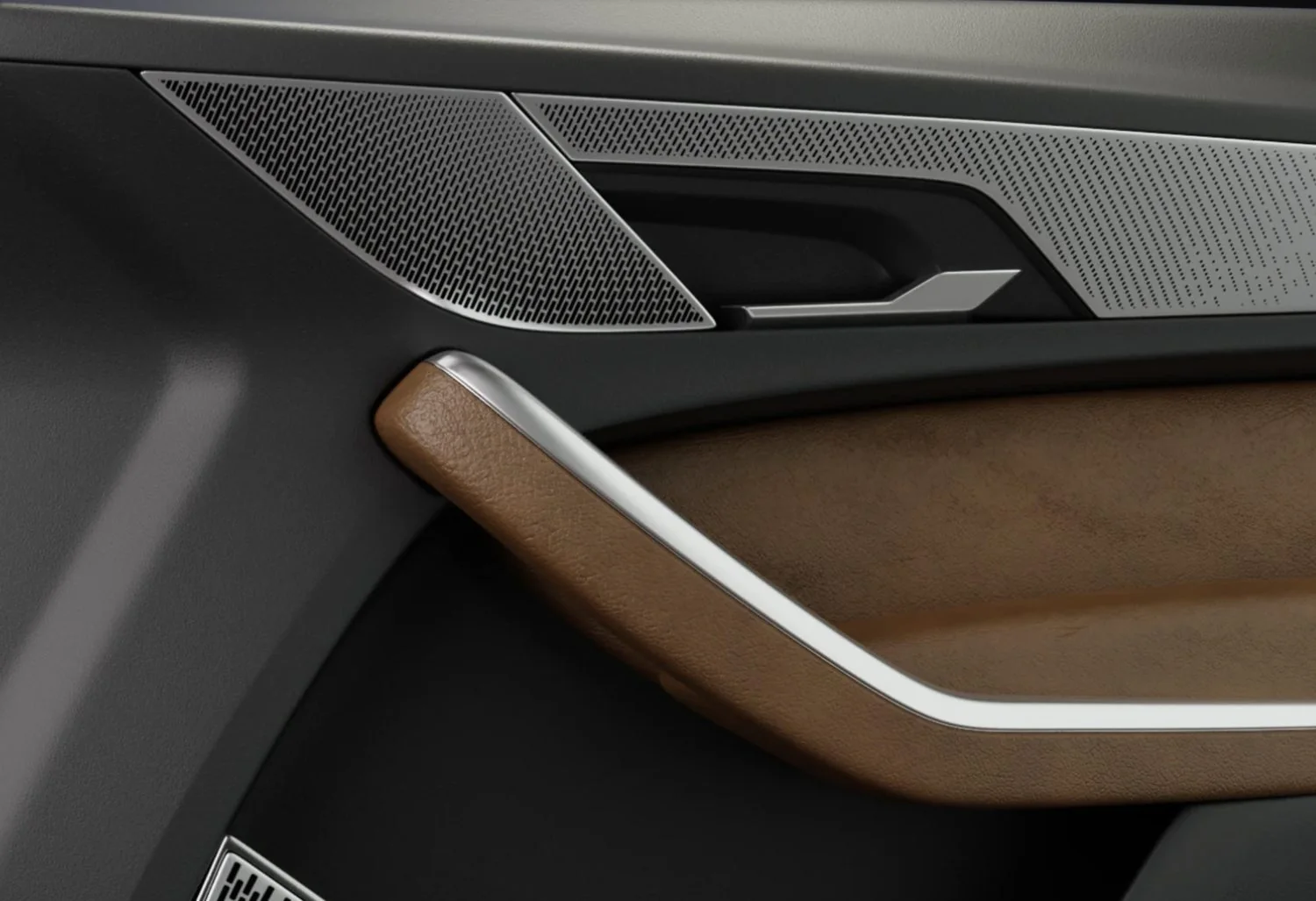
Alongside Class-A surfacing, we design parametric surface textures in Grasshopper. Every texture is generated from a set of rules for shape, size, depth and spacing. That lets it wrap accurately over complex, double-curved surfaces, grade smoothly from one area to another, and update in minutes when the design changes.
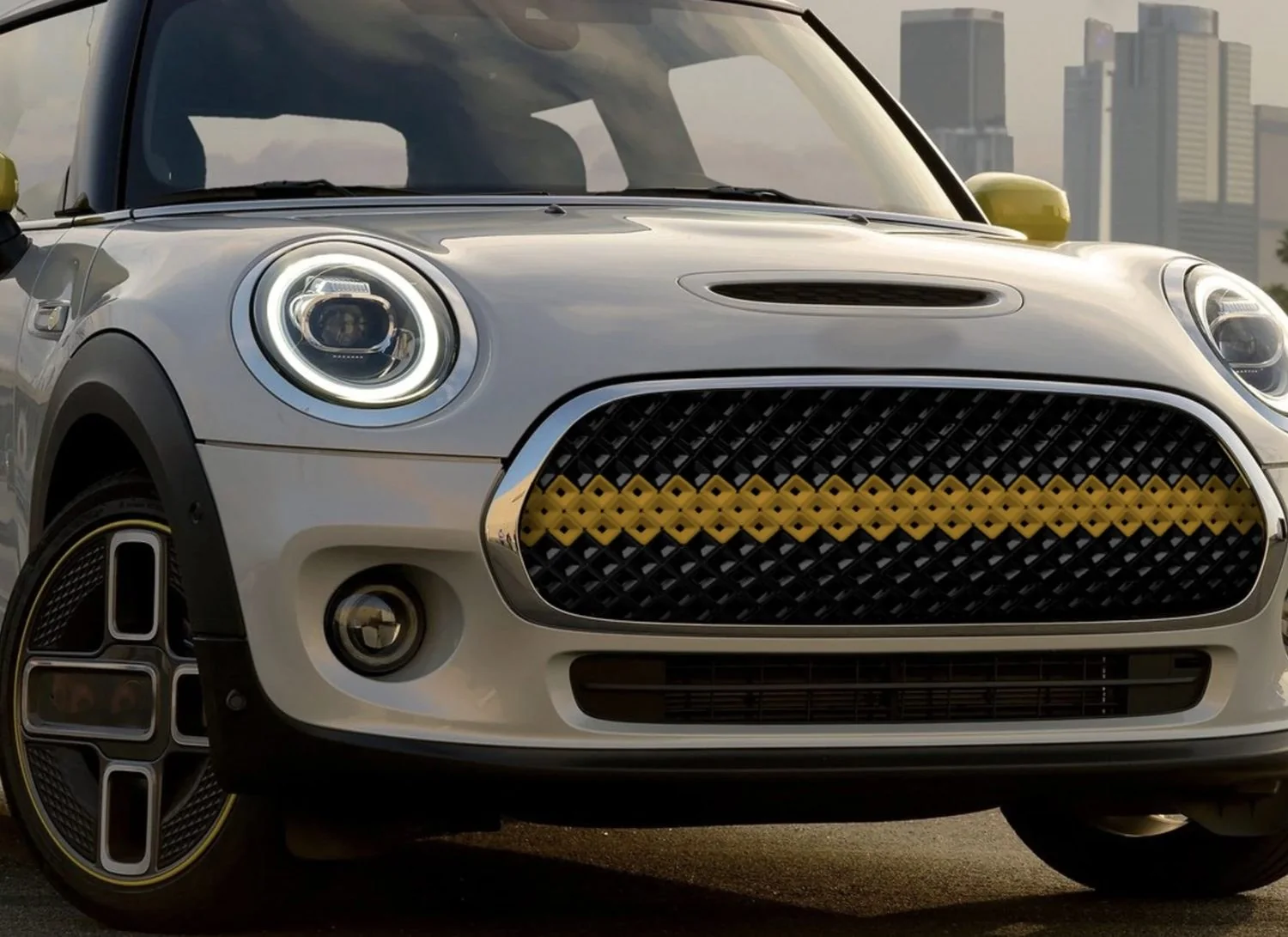
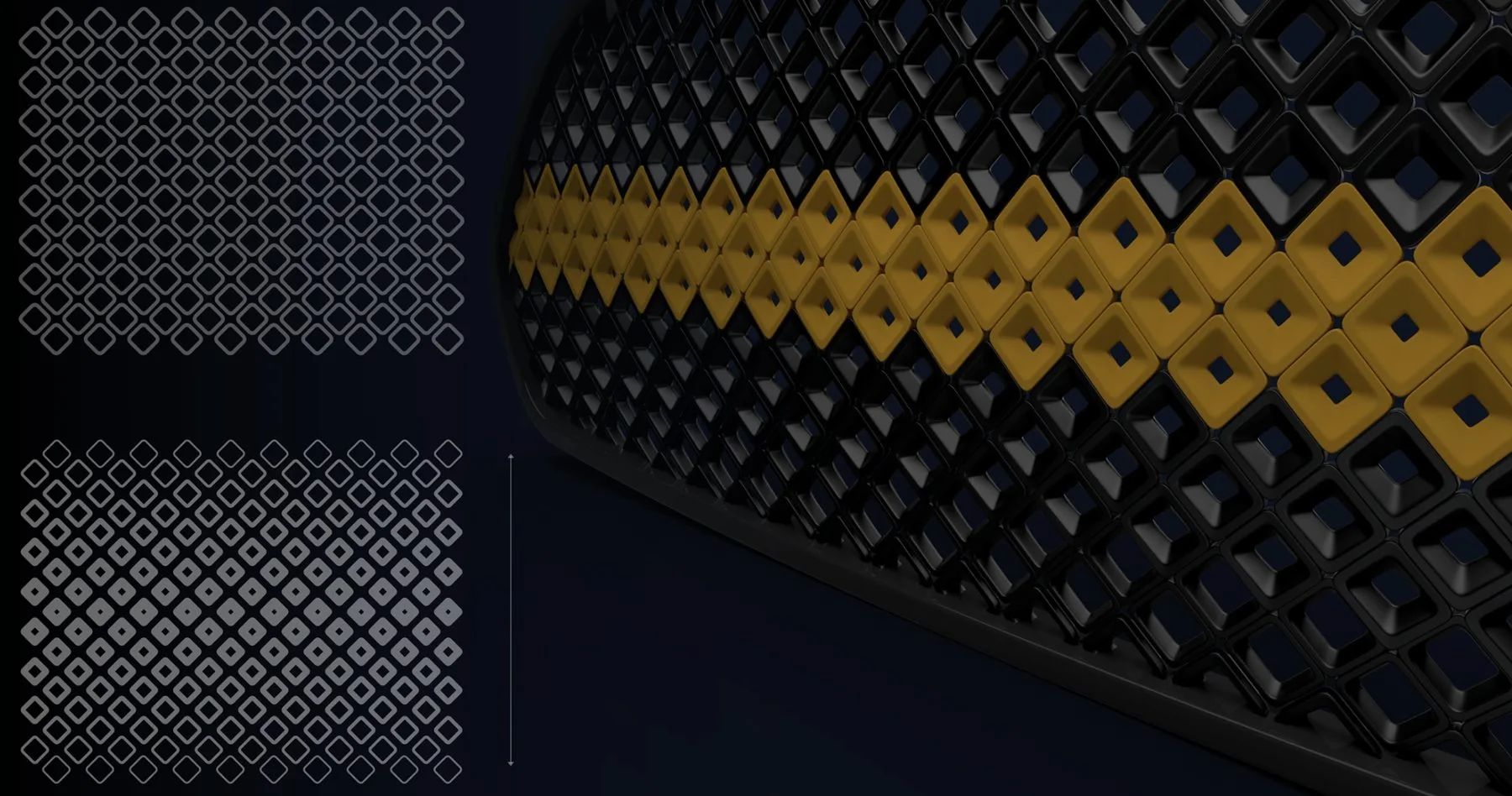
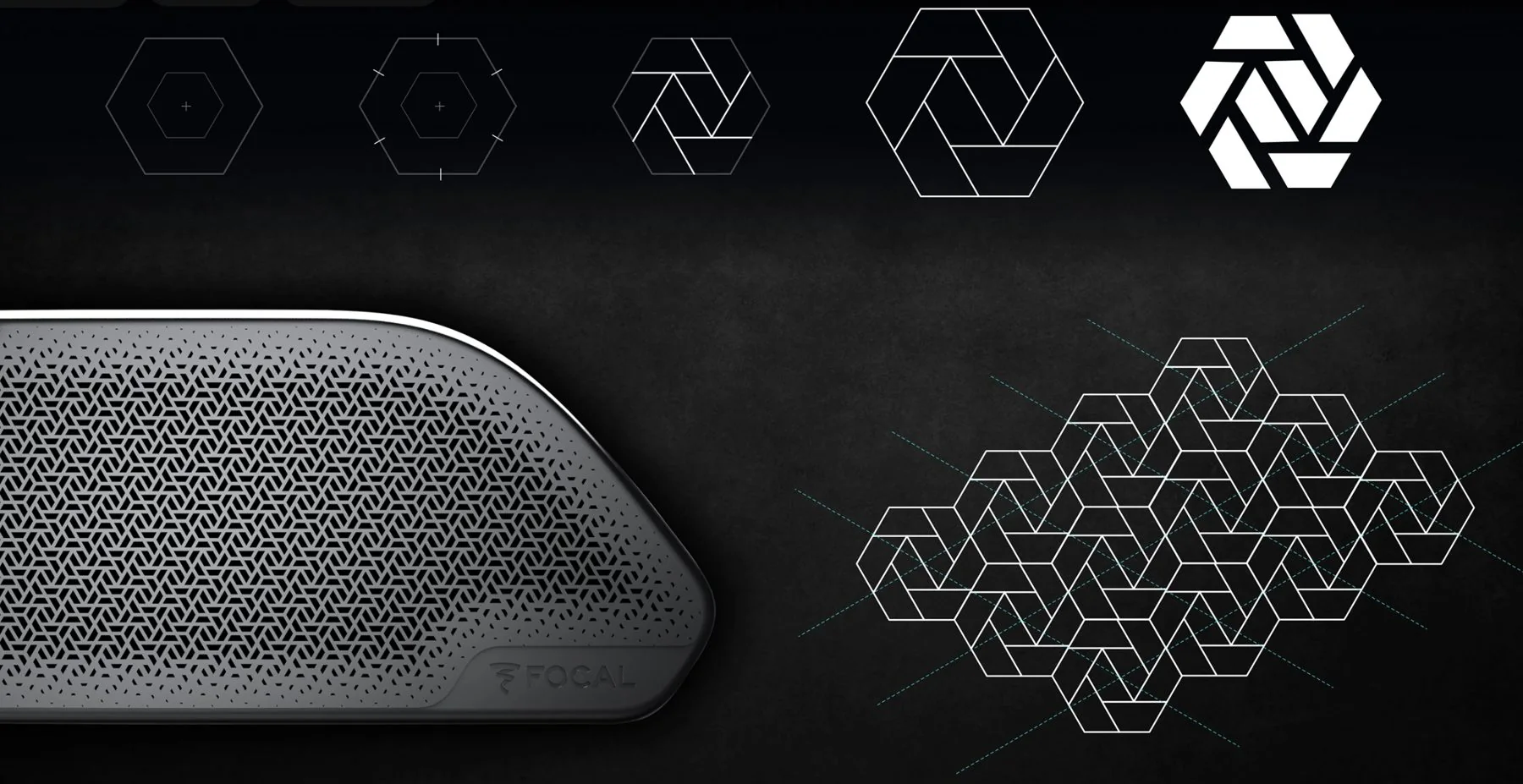
Diamond, hexagon, slot, custom motif or Voronoi cell
Fixed, or graded across the part
3D relief depth with draft built in for moulding
Open area tuned for airflow or sound
Points, curves or images that drive the gradient
Fade, shrink or clean border offset
Wall, web and hole sizes held for manufacturing
Cells aligned to surface flow or a fixed direction
We start from the approved Class-A or CAS surface.
We build the rules for shape, size, depth, spacing and how the texture changes across the part.
The texture is placed on the surface, following its curvature and boundaries.
Density, gradients and edge transitions are tuned until the design is approved.
Production-ready 3D geometry, checked for manufacturability.
Adjust size, spacing or depth in minutes instead of remodelling the whole texture.
Textures follow double-curved surfaces without stretching or distortion.
Textures can grow, shrink or fade across a part for a premium finish.
Wall thickness, depth and draft are built into the rules for moulding, machining or 3D printing.
DeliverablesTextured 3D geometry in STEP, IGES or STL, ready for engineering and tooling.
Send us your sketches or 3D data. We’ll reply with a plan, a team and a timeline.